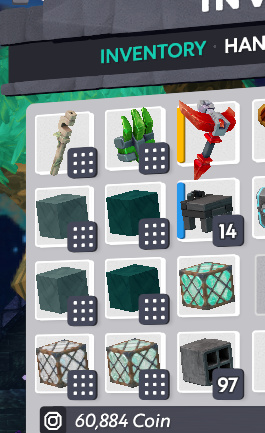
Hello, I am trying to build with different colors of Twisted Wood.
I have two different colors on my right hand, but sometimes I misplace one color, I break it, and then my vivid blue smart stack turns into the color of twisted wood I broke, which was not vivid blue.
I would like to disable smart stacking “auto” feature. I would like to keep my colors of twisted wood separated, and only when I manually move different colors into the same stack would I want the colors to mix.
If turning off is not possible, please inform me that this ability to disable the automatic is not possible.
What I do is that I manually split them so I have a smart stack but it’s only of 9. It’s a bit tedious but at least I’ll know if a stack is at 900 it’s of the same color/type while mining. Do note tho, sending it to a storage and not placing it (click+drag) will undo the split.
If you have one stack for each color, the item will auto-stack into the correct color first, if possible. You don’t have to fill the whole stack up to keep it pure as long as your inventory has a spot for each color.
You will still get cross-stacking if you use the last of a color and then pick one up again afterward though.
I feel like I didn’t explain this clearly, so let me know if you want an example.
This cross stacking is probably what has happened a few times. The color I picked up (Light Tan) would then be on my hotbar instead of the vivid blue I wanted on my hotbar.
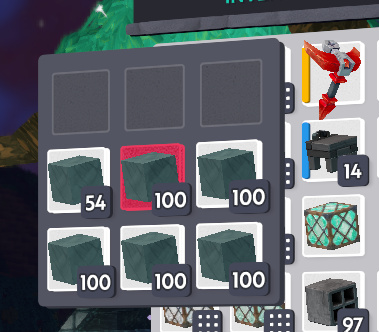
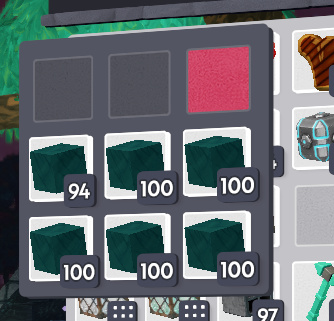
Alright, so I am working with two different marble colors
Having two SS of each color isn’t important here, that’s just because of how much I picked up.
I make sure that each SS is clean and at least one SS for each color has space in it
Since I have these stacks open with space available, and I don’t have any mixed-color stacks already in my inventory, collecting blocks of either color sort to the correct stack.
Yes like @Rydralain said and showed… make them smart stacks i do this with my bricks so they don’t auto stack if I break some again because of mis placement.